
Midi Analyzer
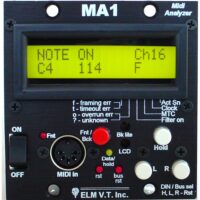
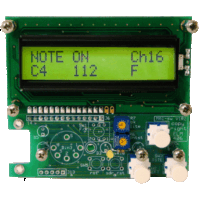
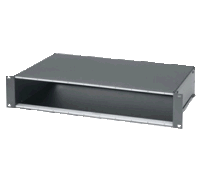
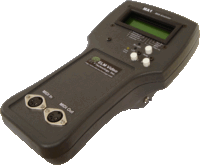
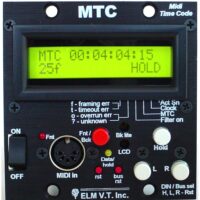
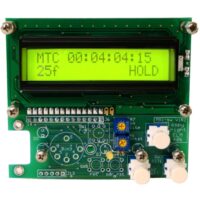
The MA1 hardware based midi message analyzer, or analyser, and will decode midi messages and display them in a user friendly format. Any message type can be filtered so that only the desired messages are displayed and stored. The MA1 has a HOLD and SCROLL feature and allows scrolling through the last several messages. Displaying Midi info and statistics such as: framing, timing and overrun errors, active sense, clock, midi time code MTC and filtered messages. Optionally has a power switch, local reset and bus reset switch, and front access LCD brightness and contrast adjustments. Available in several styles and enclosuresTwo Display Types: DECODE and HEXADECIMALDecode Display: Shows the type of message, channel number, and decimal equivalent of the data. The ‘Note’ information can be viewed as the decoded note or as a note number. Middle C can be changed from C3, C4, or C5. In the HOLD mode the last few bytes can be displayed and scrolled through, including a message counter. Any message type can be filtered out. An indicator shows if ‘Midi Time Code’ (F1), ‘Time Clock’ (F8), and ‘Active Sensing (FE) messages present whether they’re filtered or not. System Exclusive messages are displayed with all the associated bytes that can be scrolled through independently too and displays a total byte count and an individual byte counter.HEX Display: The data is displayed in a Hexadecimal format for technical viewing, and displays the data AS IS without any decoding. In the HOLD mode the last 112 bytes can be displayed and scrolled through, including a byte counter. ‘Midi Time Code’ (F1), ‘Time Clock’ (F8), and ‘Active Sensing (FE) messages can be filtered out. An indicator shows if those messages are present whether they’re filtered or not. FEATURES INCLUDE:Displays Midi Messages in a Decoded Easy to Read FormatHEXadecimal Mode for True Data AnalyzingScroll through Previous MessagesDisplays MIDI Status: Active Sense, Clock, MTCDisplays MIDI Line Errors: Framing, Timeout, and Overrun errorsCustom Configurable Software Setup Including ANY or ALL Message FilteringUser Selectable Middle C – C3, C4 or C5Note or Note Number DisplaySystem Exclusive Message DisplayingAdditional Front Selectable Midi InputFront Accessible Back Light and LCD Adjustments
Showing all 5 resultsSorted by popularity